- Automated Marketer
- Posts
- I Stopped Believing in New Year’s Resolutions
I Stopped Believing in New Year’s Resolutions
The habits, tools, and AI updates actually worth paying attention to right now.

NUNO TAVARES
December 30, 2025
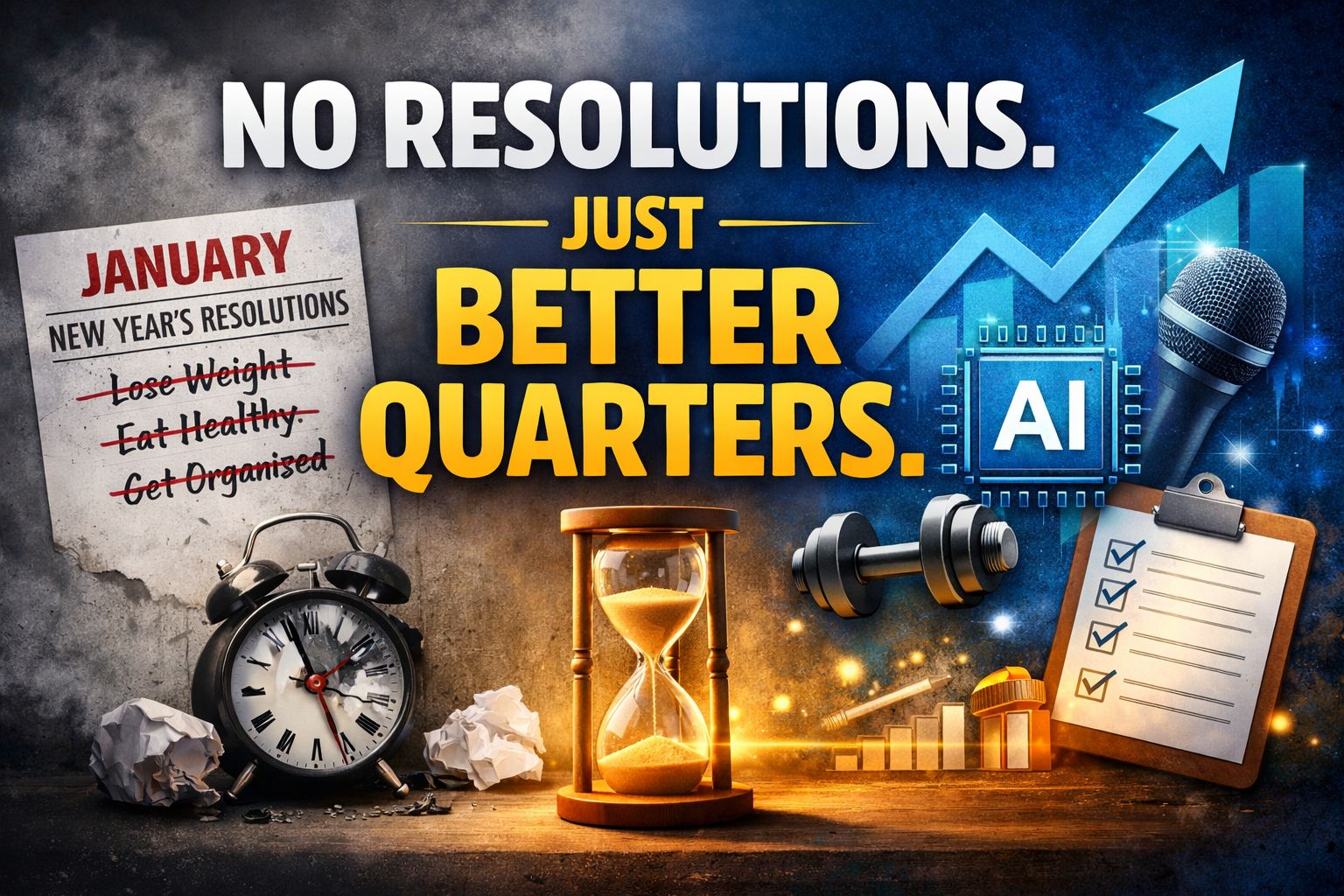
No Resolutions. Just Better Quarters.
I’ve never really believed in New Year’s resolutions.
Trying to lock yourself into a single goal for an entire year is honestly one of the hardest things anyone can attempt—and it’s usually why most resolutions quietly die by February. Instead, I’ve always believed in doing something a little different, a little better, and revisiting that process every quarter.
Every three months is a chance to take stock, reset, and intentionally reinvent parts of yourself—not in a dramatic way, but in a controlled, realistic one. For me, that quarterly cadence creates far more momentum than a once-a-year promise ever could.
As a creator—and as someone who lives in fast-moving tech—my biggest ongoing challenge is consistency. Learning never stops, tools never slow down, and habits are the thing that either holds everything together or lets it fall apart. So heading into the first quarter, I’ve narrowed my focus to three things I genuinely want to improve.
1. Getting my body back under control
I firmly believe your body controls a massive amount of your mental bandwidth. Where you are physically affects how you show up mentally—every single day. My goal is to lose 20 pounds while still building muscle. This isn’t about extremes. It’s about energy, clarity, and showing up better across the board.
2. Getting control over sugar
Sugar is my one real vice. I don’t drink much. I don’t smoke. I don’t do anything particularly destructive—but sugar? That’s my kryptonite. I’m not pretending I’ll live in a world without pastries or ice cream. That’s not realistic. But I am committing to reducing how much I rely on it and stopping the level of overuse I’ve slipped into. Control, not elimination.
3. Becoming more intentional as a speaker
I love storytelling. I love entertaining. But I want to get better at clarity, structure, and intention—especially on stage and on webinars. I want my stories to land, to lead somewhere meaningful, and not get derailed by my ADD/ADHD brain halfway through. Better delivery, better outcomes.
While some of these goals are personal, I’ve learned over and over again that personal control leads to business growth. When the foundation is solid, everything else compounds faster.
This year, my biggest commitment was travel—and I’ve followed through on that in a big way. I’ve shared some of those adventures with you, and right now I’m on my favorite island, spending the holidays with my family and fully unplugging when I can.
I’d genuinely love to hear from you:
What are you focusing on in the first quarter?
What are you proud of accomplishing this past year?
What are you trying to do a little better next?
Quarter by quarter beats resolutions every time.
-Nuno
PS: If you want to go deeper and actually build alongside me, we’re hosting AI Unleashed 2026 in Cancun.
Four days, all-inclusive, small group, real implementation. Only 40 spots Left, it will sell out.


HighLevel Just Fixed the Worst Part of Collecting Testimonials
You know that awkward moment when you ask for a testimonial… and the client replies with
“Sure!”
…and then ghosts you harder than a bad Tinder date?
Yeah. That problem just got absolutely wrecked.
GoHighLevel just dropped native video testimonials, and honestly? This isn’t a “nice-to-have” feature. This is the kind of thing that quietly makes your funnels convert better while you’re off doing literally anything else.
Video testimonials are already internet currency. HighLevel just made them stupidly easy to collect, manage, and deploy — without duct-taping five tools together and praying nothing breaks.
Here’s the thing… this isn’t just “record a video and hope for the best.” They actually thought this through.
Once you enable it (Agency Settings → Labs → Sub-Accounts → Video Testimonials), everything lives exactly where it should — inside the Reputation tab of each sub-account. No hunting. No guessing. No “where did they hide this?” energy.
From there, the flow is clean:
Create a Video Collector
This is your branded experience.
You can add:A headline that doesn’t feel corporate-y
A friendly face (yours or your team’s) so clients aren’t talking to a void
A short message explaining why you’re asking (huge trust booster)
Up to three guided questions so clients don’t freeze on camera
Send the request via SMS or email
Clients click the link.
No downloads.
No logins.
Just camera → record → done.Each question becomes its own clip
This part is sneaky good.
Instead of one rambling 3-minute video, you get clean, modular clips:“What was your experience?”
“Would you recommend us?”
“Why?”
Which means you can reuse them everywhere.
Instant widget creation
Grid.
Carousel.
Slider.
Pick your poison.Copy the embed code, drop it into:
Funnels
Websites
Landing pages
Sales pages
And yes — it actually looks good out of the box.
What really got me though?
This doesn’t feel bolted on.
The recording experience literally coaches the client:
“Find good lighting”
“Hold the camera at eye level”
“Relax — it doesn’t have to be perfect”
That tiny detail alone means higher completion rates and better-quality videos. Less friction = more testimonials. Always.
💡Pro Tip:
Most people will ask terrible testimonial questions. I learned this the hard way.
Instead of “Would you recommend us?” try something like:
“What almost stopped you from working with us — and what changed your mind?”
Those answers convert like crazy because they mirror the objections future buyers already have.
Short version?
If you run an agency, sell services, or manage client accounts, this feature pays for itself the first time someone watches a real human say real words about working with you.
No chasing testimonials.
No editing nightmares.
No third-party tools.
Just turn it on, send the link, and let social proof do the heavy lifting while you move on to the next fire.

Master Your Inbox Without Losing Your Mind
I opened my inbox this morning and immediately closed it again. Not because I’m busy—because I value peace.
And honestly? Google Workspace AI Agents might be the first thing that makes email feel… survivable.
This isn’t another “AI will save you” promise. This is Google quietly shipping something useful: agents that live inside your inbox and actually do work for you. Labeling. Summarizing. Translating. Routing. Reminding. All without duct-taping tools together.
Here’s the thing most people will miss if they skim this update:
These agents aren’t chatbots. They’re event-driven workers.
Emails arrive.
Forms get submitted.
Meetings get scheduled.
Time passes.
And the agents respond.
Once you head to studio.workspace.google.com (paid Workspace account required), you land in Workspace Studio—where you can discover prebuilt agents or create your own. And yes, this is powered by Google Gemini 3.0, which is quietly very good at logic-heavy tasks right now.
What you can automate without overthinking it
Google gives you templates that already solve real inbox problems:
Daily or weekly summaries of unread emails
Notifications from specific people
Auto-labeling emails that require action
Saving attachments straight to Drive
Translating emails automatically
Meeting briefs before meetings start
Drafting follow-ups when you forget (because you will)
You’re not starting from scratch. You’re starting from “already helpful.”
But the real power shows up when you build simple custom agents.
Build #1: Turn long emails into short decisions
Instead of reading every newsletter or update, you can build an agent that:
Triggers when an email arrives from a specific sender
Applies a label so it’s organized forever
Asks Gemini to summarize the content
Pulls out links, steps, or offers
Emails you the short version
Same information.
Zero scrolling.
This alone can save hours a week if you live in your inbox.
Build #2: Let AI screen job applicants for you
This one feels illegal in a good way.
Connect a Google Form (job applications, intake forms, lead qualification—you choose) and let an agent:
Read every response
Analyze answers using Gemini
Decide pass or fail based on your criteria
Only notify you when someone’s worth your time
Everyone else?
Labeled. Archived. Out of your head.
You didn’t automate hiring—you automated decision fatigue.
Build #3: Scheduled inbox sanity checks
You can also run agents on a schedule:
Every weekday morning
Every Friday afternoon
Every Monday before chaos starts
The agent scans unread emails, summarizes what matters, and sends you a clean recap.
No panic scrolling.
No “how did I miss this?”
No inbox guilt.
And all of this can trigger off:
Emails
Meetings
Forms
Keywords
Labels
Time
That’s the key difference. This isn’t AI reacting to prompts. It’s AI reacting to events.
💡Pro Tip:
Don’t try to automate everything on day one. Start with one recurring annoyance—newsletters, job applications, or unread emails. One agent doing one job well beats five half-baked automations you forget exist.
Short version?
This isn’t AI for flexing on Twitter.
This is AI quietly giving you back hours every week by handling the boring, repetitive thinking—inside tools you already use every day.
Email doesn’t need discipline.
It needs delegation.
And now?
It finally has it.

🎥 Did We Just Get the Nano Banana of Video?
This Week Was Absolute Chaos
You’d think AI companies would be winding down for the holidays… but nope. This week they chose violence — and the release list was stacked across images, audio, video, and new agents.
Here’s what matters.
1) Image Models: OpenAI vs Google… and Flux Joins the Fight
OpenAI dropped GPT Image 1.5 inside ChatGPT and the API, clearly positioned as a competitor to Google’s state-of-the-art model (Nano Banana Pro).
But OpenAI wasn’t the only one shipping.
Black Forest Labs released Flux 2 Max, and it’s trying to play in the same arena: image generation + image editing.
Flux 2 Max is built for:
editing photos (removals, outfit swaps, style changes)
iterative edits (keep modifying the same image without losing context)
“grounded” generation (where it supposedly understands what belongs in an image and adds it correctly)
Real talk from the tests:
Flux struggled with instruction-following in some edits (removed the wrong person / blended faces)
It also failed a structured layout test (wrong number of rectangles, map not folded, etc.)
Bottom line: “pretty okay,” but not matching the top tier models yet
2) Audio: Meta’s “Segment Anything” for Sound
Meta brought SAM (Segment Anything) logic to audio.
That means you can upload audio and say:
isolate guitars
isolate vocals
remove specific instruments
apply effects
And it actually works.
Use case is obvious:
podcasters can isolate speakers
musicians can split tracks
editors can clean audio without manual slicing
It’s available to test in Meta’s Playground demos, and the isolation demo (guitars vs no guitars) was legit.
3) Vibe Coding: Build Apps on Your Phone (Yes, Really)
A tool called Vibe Code is pushing the “build apps without a laptop” idea hard.
You describe an app → Claude Code builds it → you generate assets (images/sounds/haptics) → even add a paywall → then ship to the App Store.
It’s basically “CapCut for building apps.”
4) Video World: Editing + Motion Control + Better Lip Sync
This was the most crowded category.
Adobe Firefly: “Prompt-based video editing” (kinda)
Firefly now has an edit video (beta) feature, but what he found was:
it’s mostly text-based transcript editing
you edit the words → it cuts the video accordingly
Not full “remove this person / add glow” style editing yet.
Luma Ray 3 Modify
Luma released Ray 3 Modify, which is trying to let you:
provide a driving video
provide start/end frames
“reskin” the action
Reality check:
results were inconsistent
generation failed / slow
finally worked, but with artifacts (sword issues, glitches)
Still promising, but not smooth yet.
Kling Video 2.6 upgrades
Kling rolled out:
improved motion control
AI voice / native audio + lip sync
The lip sync test was described as one of the best he’s seen so far.
When prompted with speech, it generated a talking-to-camera result that looked surprisingly good.
Alibaba: Juan 2.6
Another new model in the same category:
video + image reference animation
native audio-video sync
can generate multi-shot storyboards from prompts
5) Rapid Fire Updates: Agents, Models, Weird Stuff
OpenAI: “Apps in ChatGPT”
Developers can now submit apps into ChatGPT for approval.
This signals ChatGPT moving closer to an actual app marketplace.
Also:
mobile now supports branching like desktop
and yes… “adult mode” was mentioned as coming in Q1 2026
Google Labs: “CC” morning briefing agent
Google teased CC, a productivity agent that connects:
Gmail
Calendar
Drive
It sends a morning “game plan” briefing.
But: waitlist + personal accounts only (business not supported yet).
Google: improved Text-to-Speech (Gemini 2.5 TTS)
New TTS model focused on:
expressivity
pacing
dialogue
And you can test multi-speaker audio inside AI Studio.
Gemini 3 Flash
Google launched Gemini 3 Flash:
cheaper + faster than Pro
benchmark scores close to Pro
but increased hallucination risk was mentioned
So: great for speed, but verify anything important.
OpenAI: GPT-5.2 Codeex
A coding-focused version of GPT-5.2 aimed at:
professional software engineering
defensive cybersecurity
NVIDIA: Neotron 3
A family of open models:
nano / super / ultra
run locally or in your own cloud environment
Xiaomi: Mimo V2 Flash (open)
Open model focused on:
reasoning
coding
agentic workflows
Benchmarks look competitive with top closed models in some areas.
Manus 1.6
Big upgrades:
Manus 1.6 Max
mobile development
design view for interactive creation
Wild card: AI in space
StarCloud training an AI model in space (orbital data center race).
But: skepticism is real — heat dissipation, debris, fuel, and “space is insulating” problems were highlighted.
Microsoft: Trellis 2
Image → 3D model pipeline, and the demo outputs looked very strong.
Amazon: AI chatbot + Ring doorbell AI replies
Amazon has:
a ChatGPT-like experience for Alexa+ users
Ring: AI can talk to people at the door for you
Mistral OCR 3
New OCR model positioned as best-in-class for extracting text from documents/handwriting.
Meta AI glasses
New features:
conversation focus (amplify the person you’re talking to in noise)
Spotify integration
Word of the Year: “slop”
Webster’s 2025 word of the year: slop
Defined as low-quality digital content produced (usually in quantity) by AI.
Honestly… fair.

Habits That Actually Stick
The Diary Of A CEO just dropped one of those pause-and-rewatch episodes.
Steven Bartlett sits down with James Clear, author of Atomic Habits — which, for the record, is one of my favorite books of all time. Not “sounds smart on a shelf” favorite. Actual dog-eared, re-read, applied-in-real-life favorite.
Alex Hormozi dropped this last year, and honestly… it’s still some of the cleanest thinking on money and business out there.
The part that sticks:
Most people don’t fail because they pick the wrong thing.
They fail because they never stick with one thing long enough.
One avatar.
One product.
One channel.
Build the foundation slow, or you end up rebuilding it later (and later is more expensive).
Not hype.
Not trends.
Just fundamentals that don’t age.
💲Deals at a Glance
🤑HighLevel Affiliate Offer
Best Affiliate Offer On The Planet.
Get Started Now
🔥 Vibe Coding Incubator – FREE Vibe Coding Community
Get hands-on with Vibe Coding, live weekly trainings, app templates, support, and
👉 Claim Your Free Trial
🌴 AI Unleashed 2026 – Cancun, Mexico
The ultimate 3-day AI event for entrepreneurs and agency owners. Limited seats, top experts, massive breakthroughs.
👉 Lock in Your Spot for AI Unleashed
😲Best Gohighlevel Course For Only $20!
2000+ Student 4.6 in reviews and over 18 hours of content: https://www.udemy.com/course/gohighlevel-masterclass-from-beginner-to-expert/?couponCode=GHLSPECIAL
Join Our Free Skool Community and Course
Build your agency or side hustle with HighLevel, n8n, AI & Automation. Your path to quitting the 9-5 starts here.
Join Now
Marketing Tech Professionals Ready For Hire (Done For You Work)
MarTech professionals trained by me, ready to join your team for any marketing technology needs.
Explore More
VIP Office Hours
For those who just want simple questions answered by real knowledgeable human beings. Join our group office hours 4 days a week.
Access VIP Office Hours
Remember, there’s always something new coming from the Automated Marketer YouTube Channel—new content drops every Tuesday & Thursday. Subscribe so you never miss the next big idea.
Keep watching, keep learning, and keep moving forward!!
Nuno
